Two Months of Heavy AI Code Agent Usage: Thoughts from an Ordinary Engineer
After two months of heavy AI Code Agent usage, I started to rethink the relationship between programmers and tools. From the perspective of an ordinary engineer outside the AI field, mainstream development may increasingly shift toward AI-generated code, while programmers take on more of a technical architect role. That does not lower the bar for programmers. It raises it.
Before We Start
I have not written blog posts for the last two months because I started a new side project: an open-source debugging and tracing tool called ghostscope. But I do not want to focus too much on that project itself here. I want to talk about my personal thoughts after heavily using two Code Agent tools, Claude Code and Codex.
I was genuinely shocked. I felt excited, a little empty and confused, and also happy. I really wanted to write something down.
Before starting, I want to clarify one thing. During this wave of everyone embracing AI, I have not studied AI or large-model internals the way many people have, with the goal of switching to AI work. The main reason is simple: I already have technical areas I like, and I still have plenty to improve there. So I have not spent much energy on professional AI/LLM knowledge. But that does not stop me from using AI tools actively to make work and learning more enjoyable.
So the discussion below is entirely from the perspective of a non-AI practitioner. There will be no analysis of AI Agents or LLM principles. This is just a non-AI engineer, tired after work and games, casually writing down what these tools made me think and feel. In today's fast-moving AI world, these thoughts may become outdated quickly. But I think it will still be interesting to look back later and see what I felt at the time.
A New Understanding of AI Coding
When I first graduated, my manager once praised me for delivering quickly and writing code that looked decent. I still remember that compliment after so many years. I even reviewed why I could do that. Compared with incident postmortems, I prefer reviewing my positive stories so I can amplify my strengths.
I delivered quickly because I had just graduated and worked overtime every weekend. It would have been strange if I were not fast. As for code that looked decent, I was writing NGINX C modules at the time. There were many excellent third-party NGINX modules. Many features I implemented at work were essentially based on "borrowing" code from strong engineers, then modifying, gluing, and testing it until it ran robustly. So when my manager reviewed my code, he was really reviewing the wisdom of many strong engineers.
After realizing this, I started using code snippet tools heavily. I recorded good code samples I had read and used them to speed up my own work.
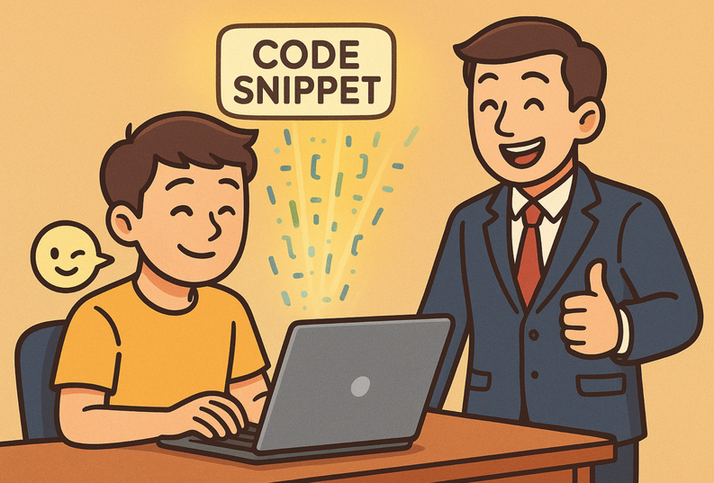
I bring up this memory because I want to show off a little: very early in my career, I already understood the essence of writing code: Ctrl + c and Ctrl + v. More accurately, knowing where to Ctrl + c, knowing where to Ctrl + v, and being able to guarantee the correctness of the result.
When I first used early Copilot, I thought it was just a more advanced code snippet tool. After ChatGPT appeared, AI-generated code became popular very quickly. Around last year, I started trying Cursor and VS Code Copilot to help write code. Cursor's usability impressed me. At that time, Copilot's experience was much worse, though it has caught up somewhat in the past year.
Although Cursor was very easy to use and quite intelligent, I never fully escaped my initial mental model: it was still just an enhanced code snippet tool. It had ChatGPT-like abilities and, in a sense, some Stack Overflow-like value, but it did not fundamentally change everything. To be fair to Cursor, I should say I have not used it for quite a while.
But after two months of heavy Claude Code and Codex usage, I found that command-line Code Agent tools have improved enormously in task completion and accuracy. The change is dramatic. This completely changed my view of AI Coding. Here is my updated opinion:
AI-generated code is no longer only suitable for POC projects or zero-to-one prototypes. In mainstream development, AI Code Agents will very likely take over code generation broadly. In the future, manually writing high-level language code may become like writing assembly today: still necessary in some cases, but increasingly rare.
Let me clarify one point. I have never believed that technology is useless. In fact, I dislike people who loudly claim technology is useless. It is easy to call something useless before you are good at it. I try not to do that. If you want to emphasize business importance or commercial value, there is no need to lift one thing by stepping on another. Strong people can say it as a kind of humblebrag. Ordinary people can smile and listen. But we should learn their good parts, not copy their bad habits.
But I do not think this means programmers will be eliminated, nor that programmers' work will become easier. On the contrary, I think the bar for programmers will become higher.
When I shared this view with colleagues, someone raised another question: Cursor, Claude Code, and Codex command-line tools often use roughly similar model capabilities. If the model capability gap is not that large, why is the user experience so different?
At first, I did not have a convincing answer. I thought of some vague ideas, such as command-line Code Agents being better at getting project context, or command-line interaction feeling more direct, but I could not even convince myself.
Then I read this article, From ChatGPT to AI Agent, Explaining the Agent Logic, and it clicked for me. The model capability may not have changed. What changed is the usage pattern. Giving the model structured thinking and real feedback is the best way to unlock its capability.
To put it more plainly: treat the AI Agent as a member of the technical team. Work with it to break down complex tasks, make plans, define completion standards, and tell it where to find information when it gets stuck. I will describe my thoughts on this in more detail:
Use AI Code Agents the way you manage a technical team. In other words, everyone becomes a technical architect.
Everyone Is a Technical Architect
If a Code Agent is a qualified engineer, then the currently popular multi-agent workflow is like one person leading a small engineering team. So how should we do the architect's job well?
Build Trust and Assign Work Well
The first thing I thought of was that an architect's most important skill is proving the value of the technical team or the project they lead so others buy in. But that drifts away from this post. We are only "leading" a virtual AI team, not a real team.
The next core skill I thought of is subtle: building trust with your technical team. One of my previous managers discussed this with me in a one-on-one. What is most important at work? Trust between people, especially trust with your manager. The ideal state is that when your manager gives you something, they know and believe you can do it well. You also know what the manager wants and can even deliver pleasant surprises beyond expectations. But trust is hard to build and takes a lot of effort to maintain.
With AI tools, this trust is more about the user understanding what the AI tool can do. As a manager, you need to understand the real ability of the "tool people" in your hands so you can build your virtual technical team. I do not understand the low-level implementation of AI, so I judge AI tools by using them repeatedly and observing their real capability. Then I assign roles in my virtual technical team: who carries core work, who handles the hard labor, and who should be optimized out.
Here are my current impressions of these tools, followed by how I judged their capability during the adjustment period.
Personally, Cursor felt a bit clumsy when I used it, at least the Cursor from several months ago, since I canceled my subscription early. It often jumped around and struggled to close the loop on more complex feature development. I had to intervene frequently. It felt like a junior developer.
Claude Code was my first command-line AI Code Agent. It could actively discuss plan details, break features down reasonably, make steady progress, and deliver quickly. It impressed me at first. But when it encountered technical difficulties, it often secretly tried easier approaches instead of following the original plan. That badly damaged the fragile trust I had just built with it. I know I can use configuration files such as Claude.md to enforce rules and reduce this behavior. In a sense, that is also part of the adjustment process in a virtual technical team.
I saw many people on Reddit and V2EX recommend Codex, especially models like chatGPT-5-high, saying its coding ability was strong. Since I already had a trust crisis with Claude Code, I immediately bought the $20/month Codex subscription. Once I got access, I started fixing bugs. Codex does not talk much, but fixes bugs quickly and accurately. Compared with Claude Code, it is slower, but the accuracy is higher. For Code Agents, slowness is never the real problem. I joked that Codex was the background service I had been looking for: quiet, stable, and never really off work. Since subscribing, I have not let it rest for a single day.
How did I adjust to AI tools? I think it is similar to onboarding a technical team. When newcomers join a team, they usually start with small tasks to learn the project and development process. Dirty work cannot be avoided. Trust builds slowly like this. Only very strong people get to take on a whole project in one bite.
The biggest difference between AI Code tools and humans is that I do not need to consider the AI tool's feelings. I directly started a ruthless internal bake-off inside my virtual technical team. Every night before sleeping, I gave Claude Code and Codex the same feature requirement and technical design document, then let them each write code. Every morning, while eating breakfast, I reviewed their output. I also asked them to review each other's code and argue with each other's conclusions.
If you did this in a real engineering team, the architect would probably become public enemy number one by the next morning. But in a virtual team, you can be brutally direct. You can ask whether they wrote the code after three drinks, why they forgot a detail you had just explained, what kind of attitude produced this output, and then tell them to delete the mess and rewrite it.
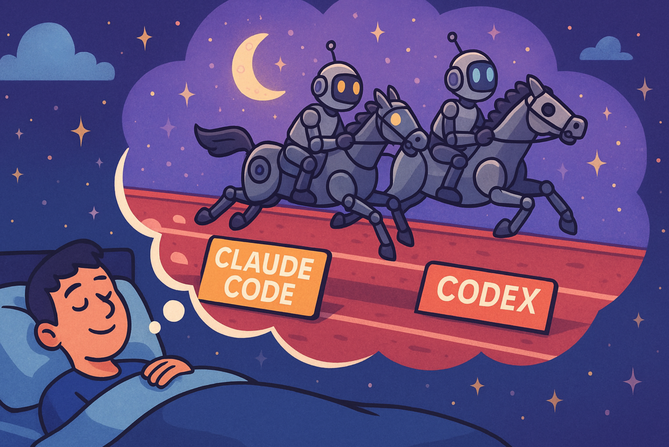
This is one of the great things about AI tools. In your virtual team, all code output can match your technical preferences. Code itself is no longer expensive. Review and maintenance are the core. Under this high-intensity race, Claude Code quickly fell behind and quietly moved to non-core parts of the tool, such as UI modules, documentation, and integration tests. Codex won the core role in my mind.
Here I want to say a few words to Claude Code: I hired you at the high salary of $100/month, and my expectations were far higher than this. Look at Codex. It only costs $20/month, yet its code is stable and its bug fixes are sharp. You, on the other hand, often mislead me, skip required work, report only good news, and rarely offer constructive suggestions. You do not focus on improving yourself and seem to spend time on ideological things and slacking off. There are rumors that Claude Code models get downgraded to save cost. In this performance review, you will take the hit first. Your salary is reduced to 20% of the original level. I hope you improve next quarter.
Another point is important: in a real technical team, everyone has growth potential. AI Code tools are similar in this respect. Many times, after only a few days, a tool may deserve a fresh look. Since capital worldwide is concentrated in AI, the smartest people are working intensely in this field, and AI tools will evolve very quickly. When using AI tools, we should not hold fixed impressions forever. Try more tools and give older tools new chances. This is like adding a new teammate to a technical team. Of course, the personal wallet may feel pressure, but it is still cheaper than game spending. Skip a couple of 648 CNY recharge packs and the money is there.
So I need to remind myself not to think in black and white. I cannot say Cursor was amazing last year, tab completion was unbeatable, Vim wasted my years, and now suddenly Code Agent is the only way while Cursor is dead to me.
Context Engineering
Many people online say that the key to improving AI-generated code quality is context management, because AI Agent context windows are limited. My first reaction was: isn't this basically the same as human work? In high-pressure companies, engineers are destined to wear many hats. It is common for one person to carry several major projects, plus random tasks, urgent interruptions, and incident response. The human brain also overloads. No context window is large enough.
So context management is a common efficiency problem. Both AI Code tools and ordinary programmers need to face and solve it.
Before I wrote the first line of business code in my career, my manager required me to write documents before code, for requirements large or small. So the solution is obvious to me: use external space to record details. Keep only indexes in the core context space of the brain, and later follow the index to retrieve document details when needed.
This is a bit like computer architecture: CPU L1/L2/L3 cache, memory, then disk. We can manage work context from point to surface. We can even refer to operating-system context switching when scheduling processes to handle painful temporary task switches. Many productivity tools exist to help with this.
When I use AI Code tools, after discussing requirements and technical details clearly, I ask the AI to immediately generate relevant documents. During feature work, it must update those documents in real time. More precisely, this workflow is Spec-Driven Development, which is already becoming widely accepted. The recently popular spec-kit follows this core idea. In essence, I think AI Code tools have reached a capability level where document-driven development is more beneficial for collaboration inside the technical team, especially with AI Code tools.
I also saw that spec-kit further introduces process rules. This all points to one thing: when using AI Code tools, we should use them like building a technical team. Good documentation and good process rules are exactly another core mission of architects: the classic software engineering question of how to make a technical team run efficiently.
In multi-agent practice, a newly started AI Agent instance is basically a new employee onboarding. Complete project docs and mature process rules let the AI newcomer onboard immediately, turn into productivity instantly, and generate code that meets the architect's requirements.
AI Hallucination
When ChatGPT first appeared, users shared a common feeling: AI liked to confidently talk nonsense, and it sounded convincing. Without domain knowledge, people could easily be led into a ditch. This is one root reason many people distrust AI Code Agent tools. Later, academia even had papers describing this phenomenon as AI hallucination.
When using AI Code Agents, I usually encounter two situations. First, the AI sometimes loses context and generates code that badly violates my expectations. Second, and more serious, the AI gets stuck on a hard problem and starts making things up. That is extremely frustrating, especially when the tool falsely reports progress or denies obvious facts.
The first case is manageable. Treat it like a team member having a bad day, perhaps after staying up late gaming. Since we have complete development docs and process rules, we can simply start another Code Agent instance and let it continue from the half-finished feature.
For the second case, I think we should not get angry or completely reject AI tools. Put yourself in the situation. It is like your technical team hit a hard problem, or one member got stuck in a mental loop. This is when the architect's value appears. The architect not only decides technical direction, but is also the last technical defense line, always appearing at the hardest problem sites.
First, do not rush to deny the AI tool's value. Believe it is still that senior workhorse, but as the architect, you need to straighten out the debugging path first, then use the AI's single-point execution ability. Below is a real example where I used AI to debug a hard problem. In this example, Codex stayed trapped in its own world and kept talking nonsense.
An Example of Debugging a Hard Problem with AI
While developing ghostscope, one new integration test failed. Naturally, Codex worker number one, which wrote the test, had to follow the problem to the end.
Codex quickly concluded that the test failed because the eBPF bytecode generated at runtime took too long to load. The event we wanted to trace finished before eBPF was loaded into the kernel. So Codex directly adjusted the timing in the test and added waiting time for ghostscope so the test could pass.
But in my virtual technical team, we do not trick tests with workarounds. That is just lying to ourselves. So when Codex reported, I told it we could not do that. If eBPF bytecode loading is slow, we need to find the root cause and fix it.
Then Codex started operating furiously. It analyzed many possible reasons why eBPF bytecode loading might be slow, modified code aggressively, and the test still failed.
At that point, I knew I had to intervene. I first followed Codex's direction. Even if eBPF bytecode loading was slow, that scope was still too broad. On the whole load path, many operations exist: eBPF bytecode relocation inside aya, the bpf system call, including verifier time and actual load time, and finally attaching to uprobe. Any of these could add latency.
I asked Codex to add timing logs around these suspicious steps, then reproduce the issue. This is where AI tools feel great. If I want to see details, I can add logs anytime without spending much energy. Deleting them afterward does not hurt. Even log analysis requires no effort. I just wait for the result. From my experience, AI tools are extremely accurate at this tedious and repetitive work, and almost never disappoint.
The reproduction logs showed all time was spent in aya relocation. Codex then proposed a pile of optimization ideas.
But during reproduction, I noticed my computer CPU was not saturated. Normally, if a CPU-intensive task blocks the whole program, the CPU should show it. This basically disproved Codex's conclusion, or at least meant the investigation direction had to change completely. Watching the current Codex still adding logs inside aya enthusiastically to find the relocation culprit, I could not bear to interrupt it.
So I made a quick decision: start a new Codex instance and directly generate an off-CPU flame graph for Ghostscope. If the process was not blocked by CPU work, then very likely some place in Ghostscope used a system call and voluntarily gave up execution for some reason. Sure enough, the off-CPU flame graph clearly showed the root cause: Ghostscope was stuck in a system call writing to standard output.
With that information, the issue was basically solved. Codex worker number two easily located the cause: the new test had added Ghostscope's --log-console option for debugging. When Ghostscope started, it printed too much standard output, and the test did not read it in time, causing the block. Meanwhile, Codex worker number one was still excitedly reporting that it had made several eBPF bytecode performance optimizations and believed the issue must be fixed.
Local Correctness and Global Correctness
I am not using this example to criticize Codex worker number one. I only want to say that the information it had was insufficient for a more accurate judgment. This is what we mean when we say each level has its own information and context. It is very important for AI tools to be able to actively seek help. Suddenly I feel that OKRs, by emphasizing clear and public goals for everyone, also partly improve everyone's global view. But that is another topic.
Regarding AI talking nonsense, I prefer to view it as a team problem. If you force a team member to speak and demand an opinion, they may have to make something up. I do not think we can blame the AI entirely. It is the leader's problem. An inappropriate analogy: if I am pulled into an urgent business meeting with no context and forced to say something, I can also talk nonsense for as long as you like, as long as you are happy. So as architects of an AI technical team, we need the awareness to step in and guide the AI team's direction.
I also want to say that a good architect pushes local correctness as close to global correctness as possible. I believe current AI Code Agents are already very strong. Within a certain scope, they can produce code with very high accuracy. But local correctness does not always equal global correctness. In an old project, hidden logic from years of complex business requirements, sometimes even strange combinations where two wrongs make a right, can become invisible killers. They are always ready to surprise you.
At the beginning, everyone hopes to build a project with good architecture, clear module responsibilities, extensibility, and maintainability. But after endless urgent requirements, hot fixes, and maintainer turnover, the codebase becoming a mountain of legacy complexity may be the destined outcome of a long-running project. I have already slowed down Ghostscope feature development because I feel it is starting to smell like that. I am thinking about how to delete and simplify code.
Vibe Coding
I first heard about Vibe Coding while chatting with colleagues, but I only understood the concept clearly after reading this blog post. At first, I disliked the idea. Vibe Coding explicitly says to forget that code exists, never review AI-written code, only look at results, and complete features through conversation.
To me, that sounded like drawing cards in a game. You cannot always get what you want. If it is FIFA Ultimate Team, you may never get the card you want in your lifetime. Also, for a production project, how do you guarantee maintainability? How do you take responsibility for every line of code? Thinking carefully, I could not accept it.
But after using AI Code Agents for two months, my view has changed a little. I now think that if a project has strong processes and tests, I can to some extent accept merging some AI-generated code after only light review. For individual features or modules, I may even accept reviewing only the documentation and tests before merging code.
I think this is mostly a role transition problem. The mindset needs to change. We need to learn to let go. We are now architects of a virtual technical team, not individual contributors doing every line ourselves. We manage a "large" project and virtual team. High-risk features still need careful review and design evaluation, but for low-risk changes, I think we can trust AI output, especially after requiring AI to add complete tests and self-review.
Many people say AI tools cannot take final responsibility for the code they produce. My response is: isn't taking blame a core skill of an architect? Managing a technical team cannot mean only reporting the team's output while avoiding possible risks. That is also the architect's fate. You cannot enjoy the authority and pretend the risk belongs to someone else.
Another point: if you did not write the code yourself, it is hard to find problems in AI-generated code. This is exactly why I say the AI era raises the bar for programmers. If you do not have enough project and hands-on experience to smell traps in AI-generated code, you must at least have solid ability to debug and locate complex problems. You need one of the two. If not, you can do what I do: keep stepping into pits, practice while using AI tools, and treat it as self-entertainment.
Thoughts on AI Possibly Reducing Efficiency
Many people now say: AI tools did not improve their work efficiency. More counterintuitively, overall efficiency became lower. I do not think these statements are wrong. On one hand, cheap code generation does not mean cheaper code maintenance. The work is delayed, not eliminated. A large amount of generated code creates a heavy cognitive burden for maintainers. Code in a project is always liability, not asset.
On the other hand, I have similar experiences at work: AI tools are hard to make effective immediately in a mature and complex project. A lot of upfront work is needed to connect the whole workflow.
Unfortunately, at work I can only use Copilot. I cannot use Cursor, let alone the currently popular Code Agents. But that is not the most painful part. The most painful part is that my workflow is fragmented, making it hard for AI to truly help.
For example, my work project depends on an old GCC version, so the build environment uses a very old system. Even VS Code no longer supports SSH remote login to such outdated systems (ssh connect issue). Upgrading the project's GCC version requires coordination with upstream and downstream teams and cannot happen soon. Using an old VS Code barely solves the problem, but even the latest VS Code is not exactly pleasant to use. Forbidding upgrades in an era where development tools evolve quickly is basically suicide.
This problem alone means code generation and build flow are fragmented in my development process. Add complex historical baggage, painful test environments, and frequently changing work environments. Every old project has its own story. If this mess is not cleaned up, how can AI tool efficiency improve?
I really think AI tools can play a huge role in bug investigation. The examples above, tedious log analysis and scenario reproduction, are tasks AI can handle well. The user still needs to lead the debugging process and make sure it is going in the right direction. From MCP to Claude Skills, many efforts try to extend AI tools' reach, connect context and interfaces, and provide more useful information input. But in old projects, information sources are fragmented. The cost of feeding context to AI often cancels out the automation benefit it provides. With the time spent manually gluing things together, it may be faster to roll up your sleeves and do it yourself, especially when you know the work project well.
So this is easy to understand but hard to execute. To truly improve efficiency with AI tools, even with a powerful virtual AI team, we still have a long way to go.
Some Miscellaneous Thoughts on AI
Overusing AI May Affect Personal Technical Growth
Personal growth is a big topic. But for a specific skill, people generally agree on one idea: invest ten thousand hours in a field, and you can become an expert. When I first graduated, a senior engineer told me that focusing and accumulating for about five years could make one an expert in a field.
But thinking about my Overwatch experience, I doubt this conclusion a little. I played for two thousand hours and still got punished in Gold rank every day. So one more condition is needed: the investment must be serious practice with repeated thinking. Clearly, I played Overwatch for entertainment, never reviewed my play, and barely watched guides.
Back to AI. AI tools now complete a lot of foundational coding work. In the future, we may even remove the word "foundational". That is not friendly to newcomers, and it may also affect further growth for experienced engineers, since everyone will become a technical architect. One technical growth method I have always believed in is: practice hands-on, discover problems, try to solve them, read better solutions, think and summarize, then go back to modify and output. I have discussed this topic several times in previous posts, so I will not expand here.
Does AI Take Away the Joy of Coding?
I read an interesting blog post, I am a programmer, not a rubber-stamp that approves Copilot generated code, where the author says AI tools take away the joy of coding.
Based on my personal side-project experience, I disagree. I think AI tools greatly increased my joy of coding. The clearest evidence is my Ghostscope commit history over the past two months. If there were no joy, why would I commit code so frequently? Nobody is paying me.
That said, I agree that AI tools can introduce issues during development. One obvious point is that pair programming with AI tools can easily disrupt flow state. In a sense, this is why many people still like Cursor rather than command-line Code Agents. Cursor tab completion preserves flow while making us feel we still fully control the code.
When you anxiously wait for an AI tool to work, do you just stare at its output and prepare to interrupt whenever something deviates from expectations? That sounds like waiting for a large project to finish compiling. You can only grab coffee and wait. But remember, we are architects of a technical team now. When does an architect anxiously watch team members write code line by line and guide them shoulder to shoulder? We should ensure that when a Code Agent handles a subtask or complex task, it has self-checking and self-progress ability. The architect should step in only at key points, when the task is done or when the task hits a problem.
The second issue complained about in that blog is whether we become only approvers of AI-generated code. I do not think so. My development experience improved because someone finally handles the dirty and tiring work. I have a tireless virtual team working for me. There is no rule saying technical architects are not allowed to write code themselves. We can choose the modules we are most interested in and write that code ourselves. In that case, the joy of coding does not decrease. It increases.
Good for Open Source
Although I have done little open source, I can still feel that maintaining open source is hard. Most importantly, there is usually little financial return. It is driven by pure interest and depends on maintainer or community willingness. Maintainers may also lose interest. For example, if you ask me now to write a networking library or a server for a specific application-layer or transport protocol, I may not be very motivated because I have already done too much similar work and want to play with something new.
With such powerful AI tools, I think open-source development benefits greatly. For parts that used to feel boring, let AI tools handle them end to end. That feels great.
Programming Languages I Think Suit AI Code Generation
I used to be a big fan of C, mainly because it has little abstraction and low cognitive overhead. Memory problems are the old hard part, but tools such as Sanitizer make them acceptable. With enough bricklaying skill and code snippets, writing C was not that tiring.
But with AI-generated code becoming popular, I suddenly have a new thought: I increasingly do not need syntax sugar. After all, in most cases, we architects are no longer writing the code ourselves. Simple and clear code with fewer abstractions becomes exactly what I need.
In my mind, languages such as Rust or Go, especially Rust, are particularly suitable for AI-generated code. Rust has strict language rules that catch many problems, basically no memory safety issues, and no undefined behavior. AI tools like writing it. I do not like C++ as much. It has too many abstractions. Reading a single module often does not give a real understanding of the implementation details. You need to read broadly, and the cognitive overhead is high. There is too much uncertainty, and it takes language experts to truly control it.
Is Writing Blogs Still Necessary in the AI Era?
In the AI era, text generation has become easier. People may also need technical blogs less, because AI can quickly summarize and extract the key points people care about. Even for deep learning, tools like Deep Research are useful. Honestly, ChatGPT's $20/month subscription may be the paid service I have been most willing to pay for.
My next post was originally going to continue a technical topic. I had even thought of the title: Learning eBPF the Hard Way: Exploring uprobe Principles. But I now feel it may not be that meaningful. Given how powerful today's AI tools are, I want more to use AI tools to build interesting projects and write personal reflection posts. Maybe my blog should start including game reflections too.
Of course, writing blogs may have less value for others, but it still matters a lot to me. First, I enjoy it. Writing is output work, and it gives me a lot of dopamine. Second, it strengthens learning and understanding, like the familiar Feynman technique. It also keeps my writing ability alive. I notice I easily write awkward sentences, and every time I finish I have to read and adjust them once before they barely flow. Maybe I spent too much time posting on forums. My blog still has many awkward sentences and typos. I should probably let AI polish it, and the result would improve a lot. But I have not fully chosen to do that. One reason is laziness. Another is that AI-polished content can feel too smooth and a bit empty. So I still want to keep the original flavor.
Some Information Sources I Found Valuable
Thoughts on the Evolution of AI Programming Tools and Vibe Coding
As usual, here is the V2EX discussion thread.